 BallotKeep
1The emails you'll get
Your organization sends election emails through BallotKeep. They come from elections@ballotkeep.com with your organization's name, and replies go to your election contact.
- Save the date. When voting opens and closes. No PIN yet.
- How to vote + your PIN. Your voting link and your personal PIN (6 or 8 digits). Keep this email until you've voted.
- Reminder (only if you haven't voted yet). It includes a new PIN, and your old one stops working.
2Nominations
If your organization collects nominations online, you'll get an email with your own personal link. Use it to nominate yourself or another member before the deadline. Don't forward it: it's yours.
If someone nominates you, you'll get an email asking whether you accept. If you do, follow the link to send what your organization asks for, such as a short bio or a photo. Uploads are checked for sensitive personal information, so leave out Social Security numbers, birth dates and account numbers.
3Sign in
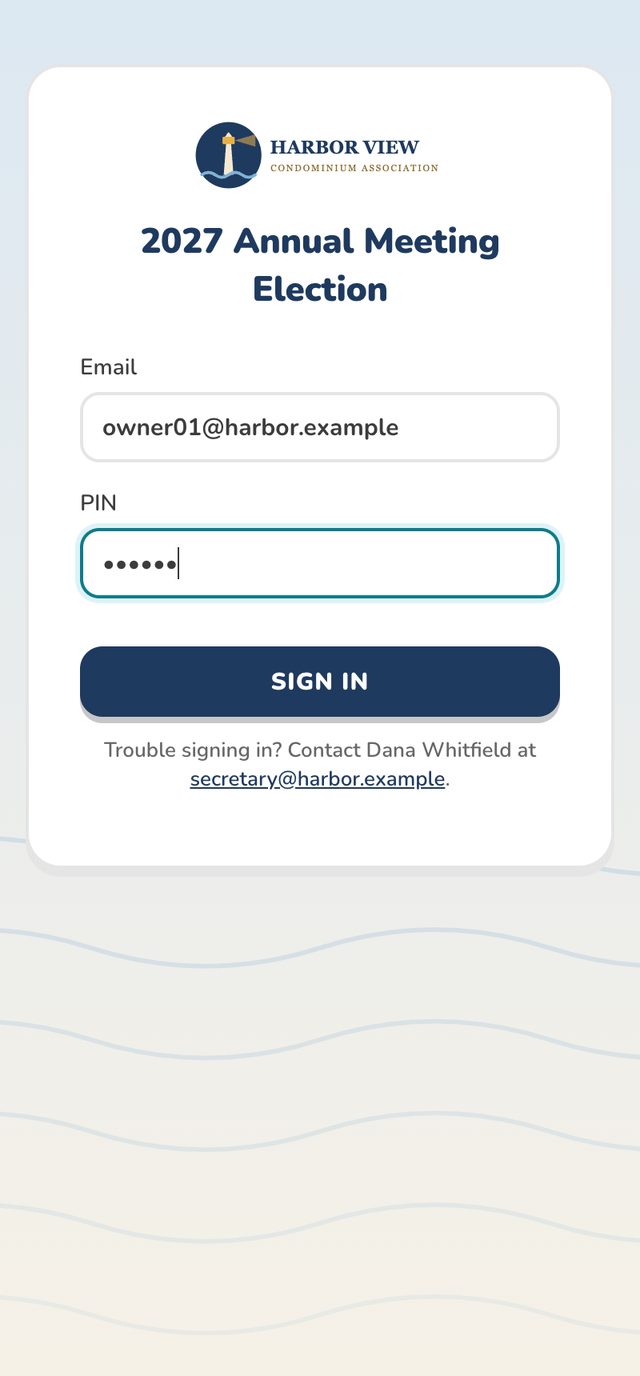
- Tap the voting link in your email.
- Type the email address the message was sent to, and your PIN.
- Tap Sign in.

4Your language
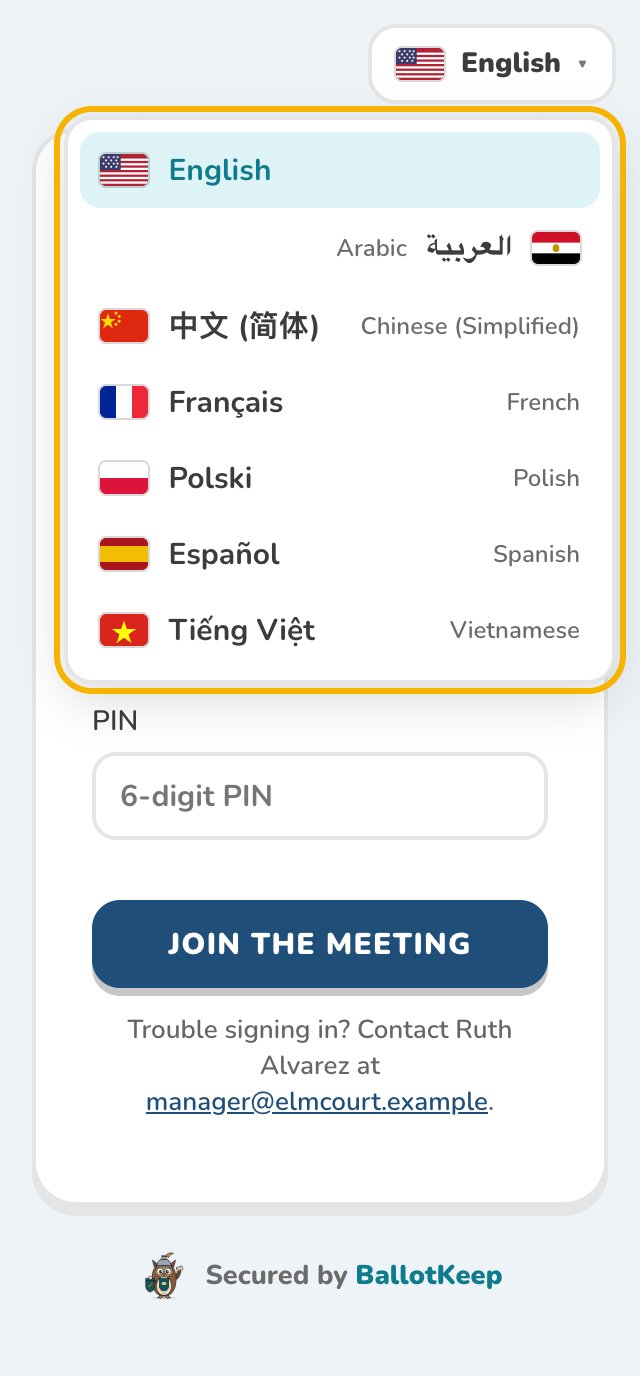
Ballots and voting pages come in English, Spanish, Chinese, Arabic, French, Vietnamese and Polish. Tap the language button at the top of the page and pick yours. The page changes right away, and it remembers your choice next time.
Your organization picks the language of its emails. Candidate names, bios and motions appear exactly as your organization wrote them.
5Proxies (only if your election allows them)
If you can't vote yourself
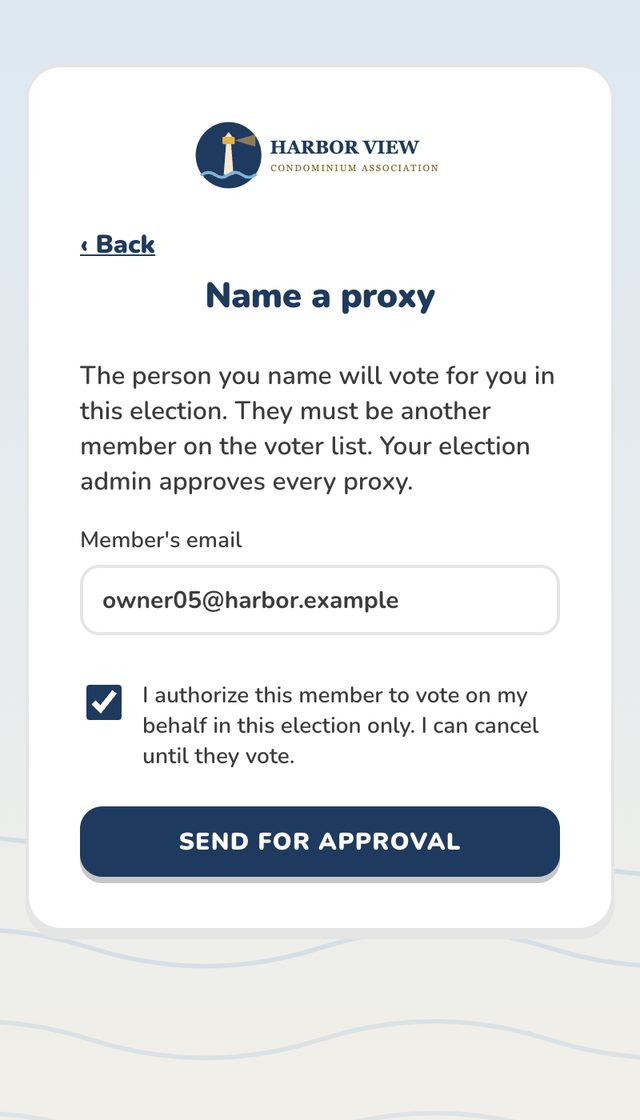
After signing in, tap Ask another member to vote for you (proxy), enter that member's email, tick the box and tap Send for approval. Your election admin approves it, and you both get an email. You can still vote yourself until your proxy does. That cancels the proxy automatically.
If someone named you as their proxy
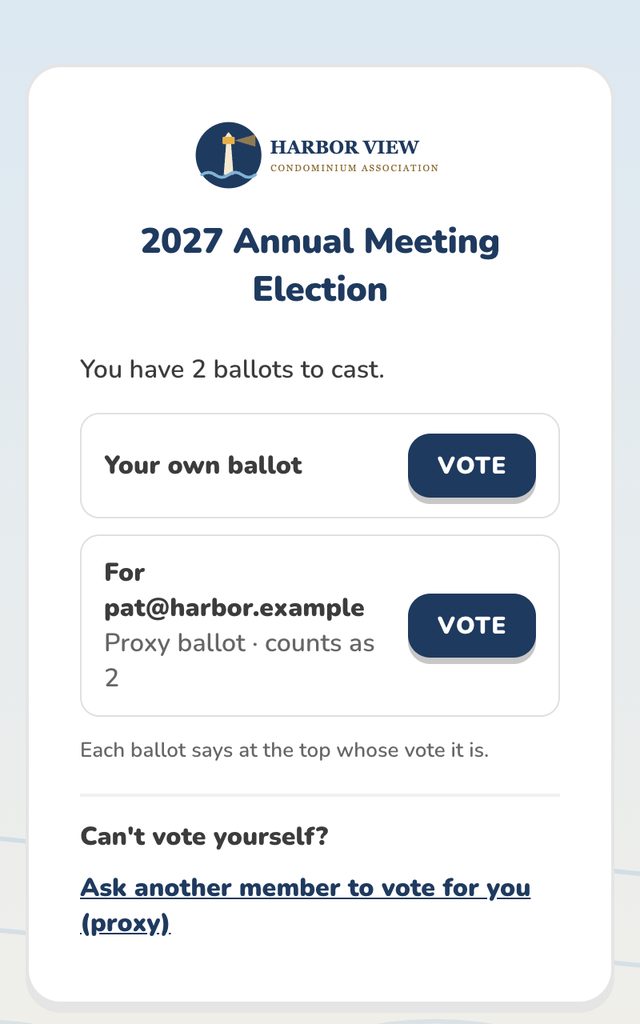
When you sign in you'll see one ballot for yourself and a separate ballot for each member you're voting for. Each proxy ballot says at the top whose vote it is.
6Your ballot
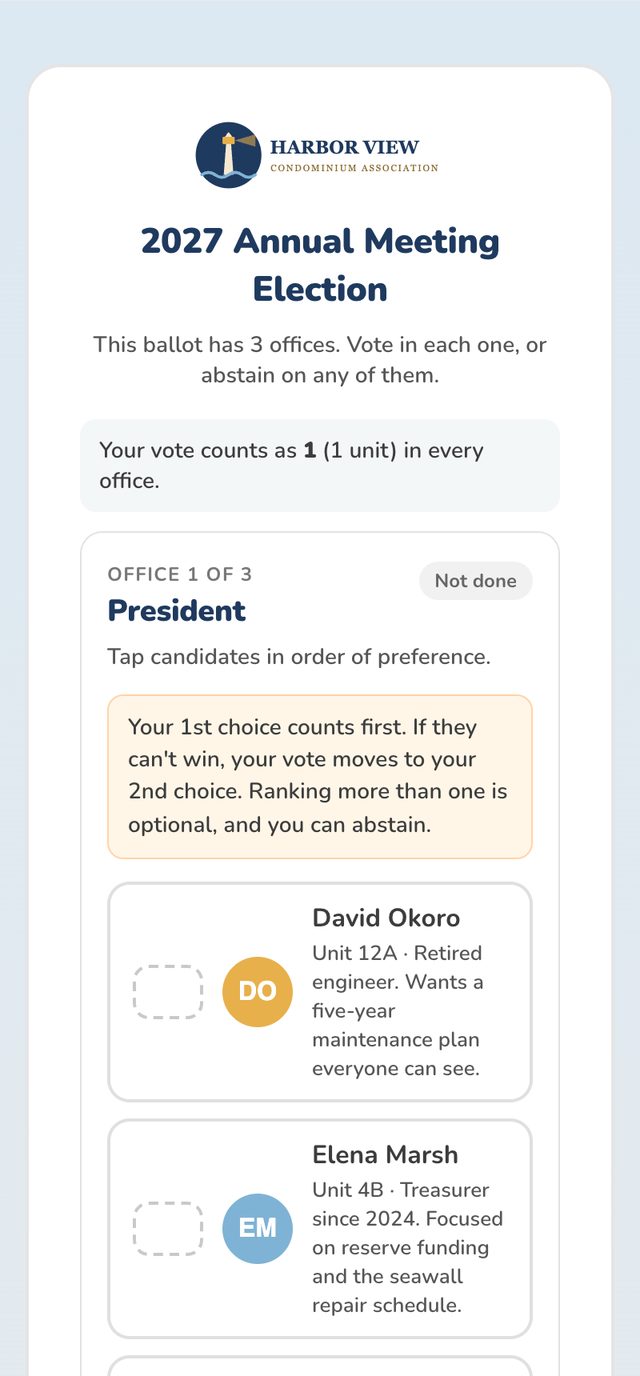
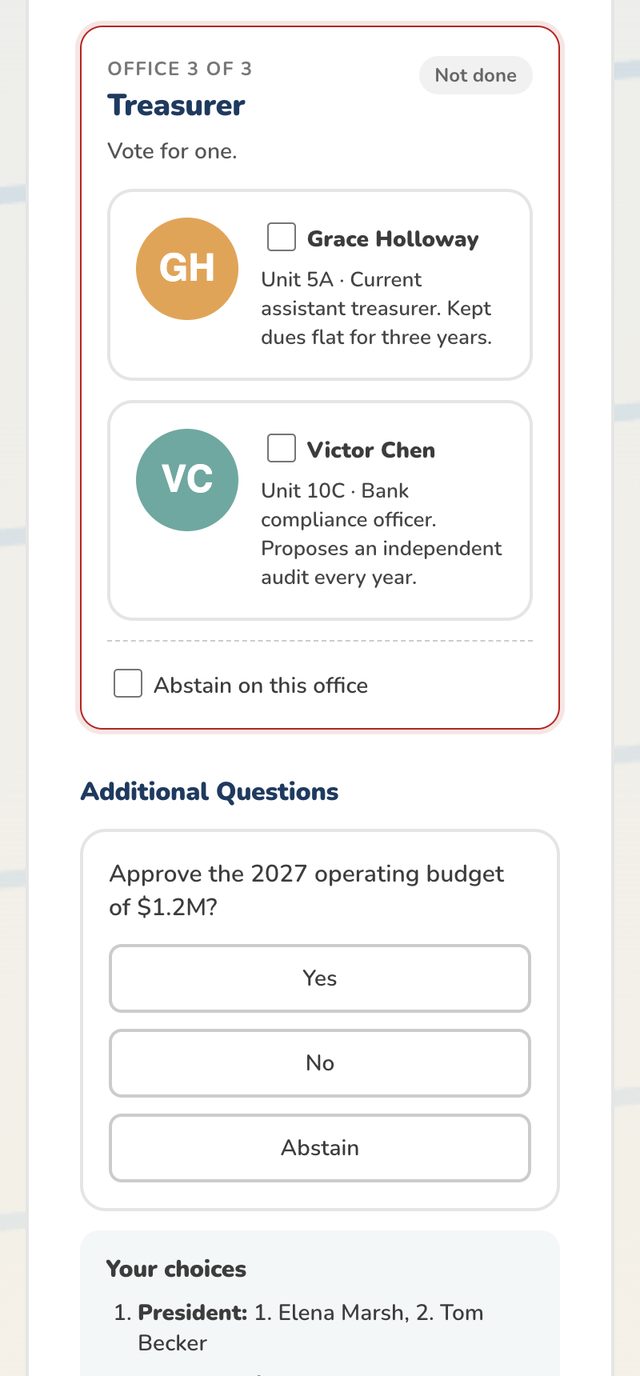
Some elections have one list of candidates. Others have several offices, for example President, Board of Directors and Treasurer. Each office is its own card and says what to do: "Vote for one", "Vote for up to 3", or "Tap candidates in order of preference".
Abstaining
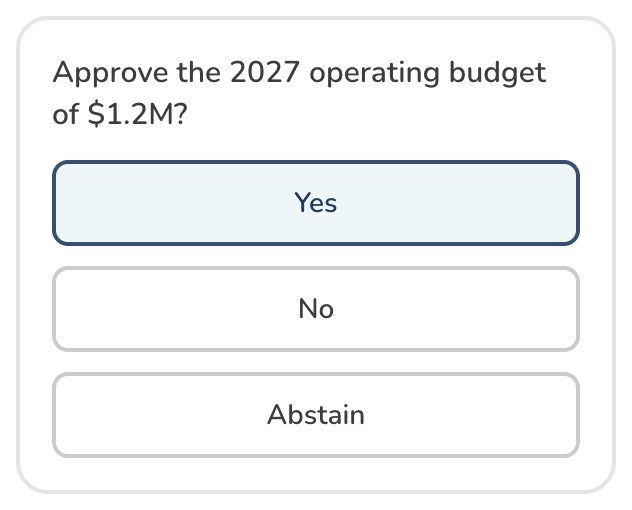
Every office has an Abstain box. Tick it if you don't want to vote in that office. You can still vote in the others, and your ballot still counts toward quorum.
Weighted votes
In some associations, a vote counts by units or shares. If so, you'll see a line like "Your vote counts as 3". You don't need to do anything different.
7Ranked choice
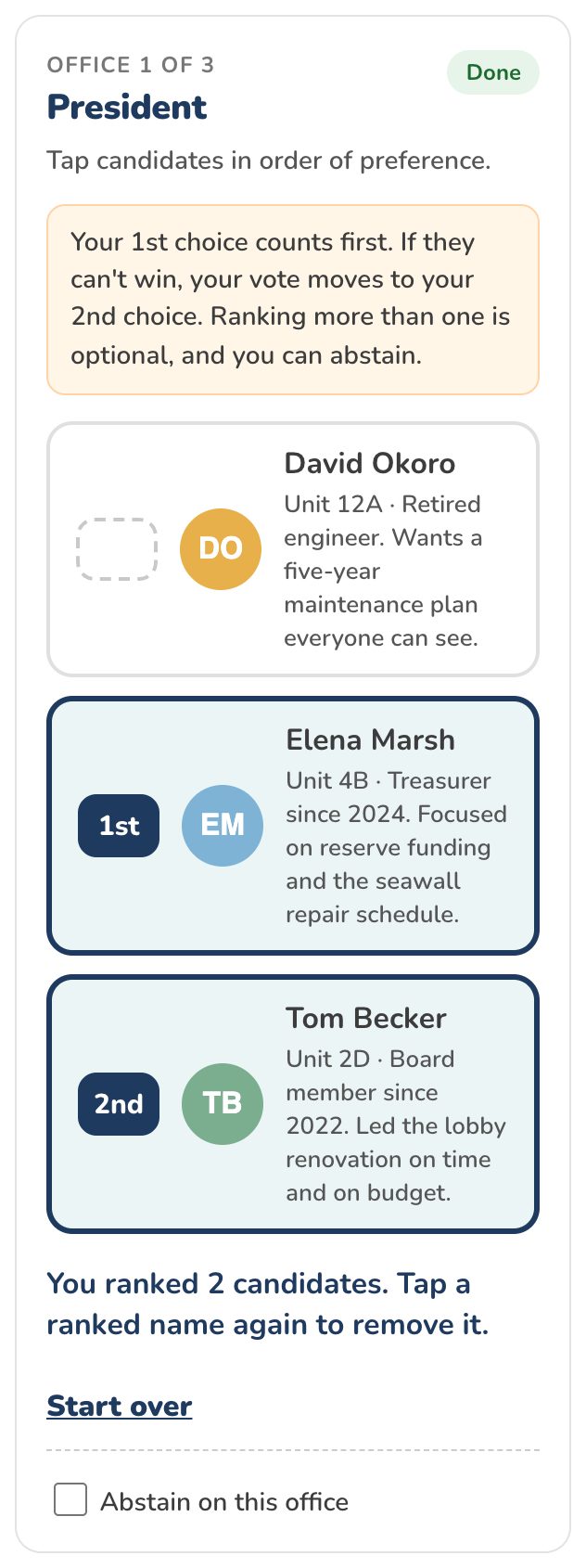
If an office says "Tap candidates in order of preference":
- Tap your favorite first. It gets a 1st badge.
- Tap your next choice (2nd), and so on. Ranking more than one is optional.
- Changed your mind? Tap a ranked name again to remove it, or tap Start over.
8Review and submit
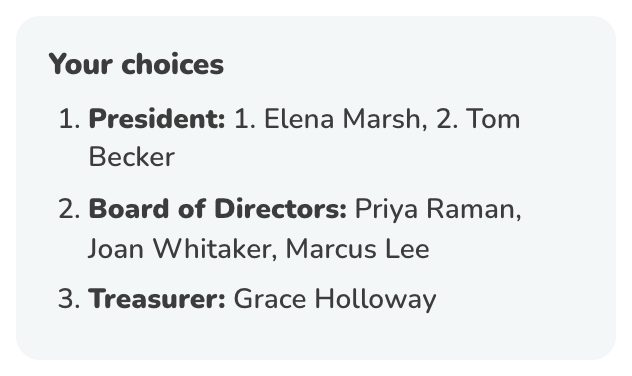
Above the Submit button, Your choices lists what you picked in every office. If you missed one, it says Not chosen yet and gives you a Go there link.
9Voting at a meeting
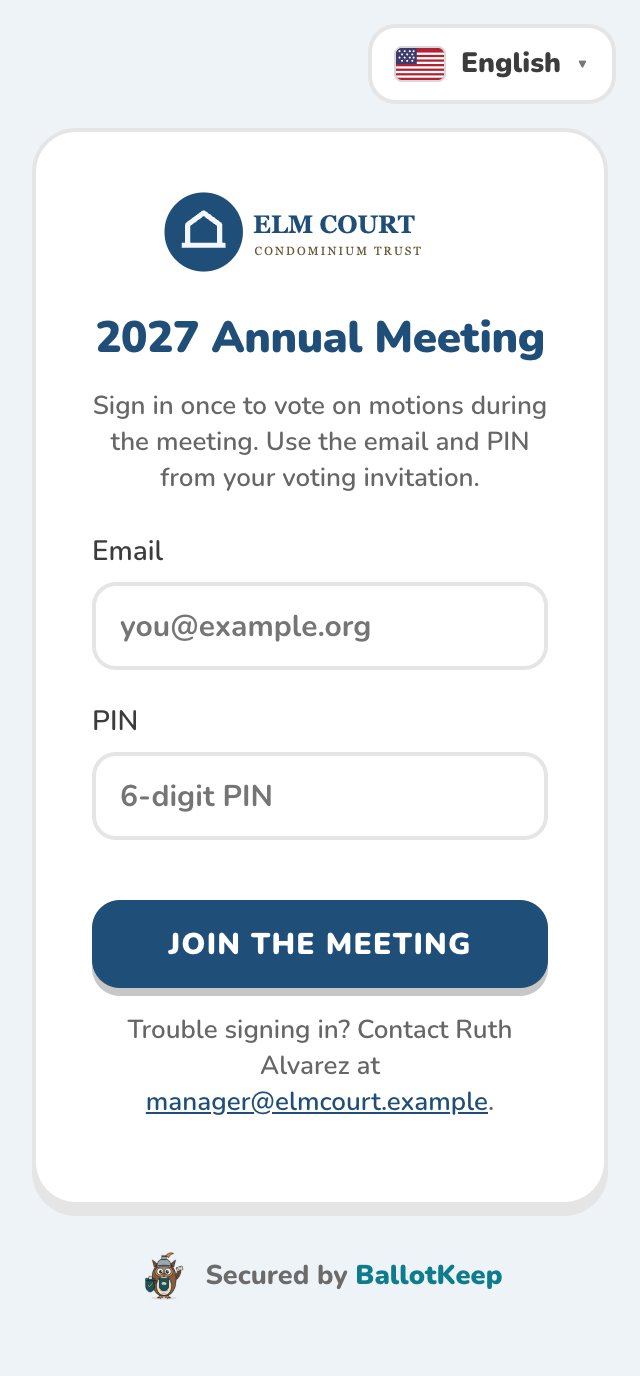
Some organizations also vote on motions during a meeting, in the room or on Zoom. If yours does, the chair shares a link or a QR code.
- Open the link or scan the QR code with your phone's camera.
- Sign in with the same email and PIN you use for the ballot. You only sign in once for the whole meeting.
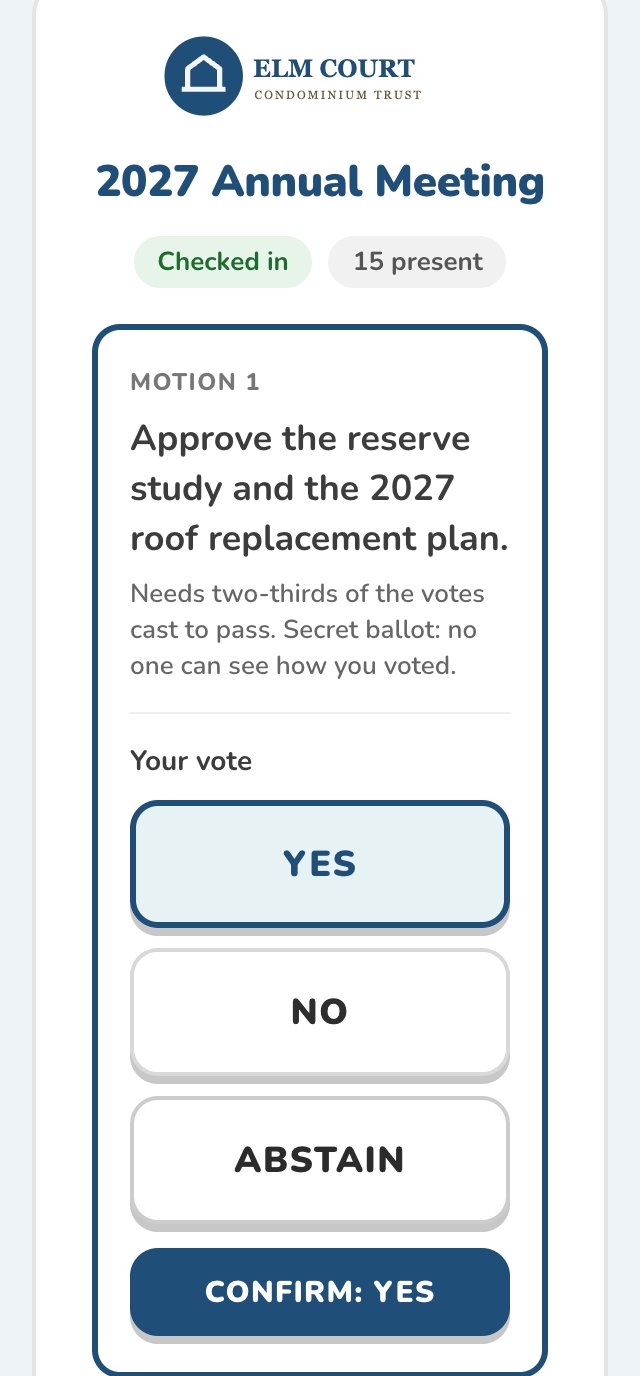
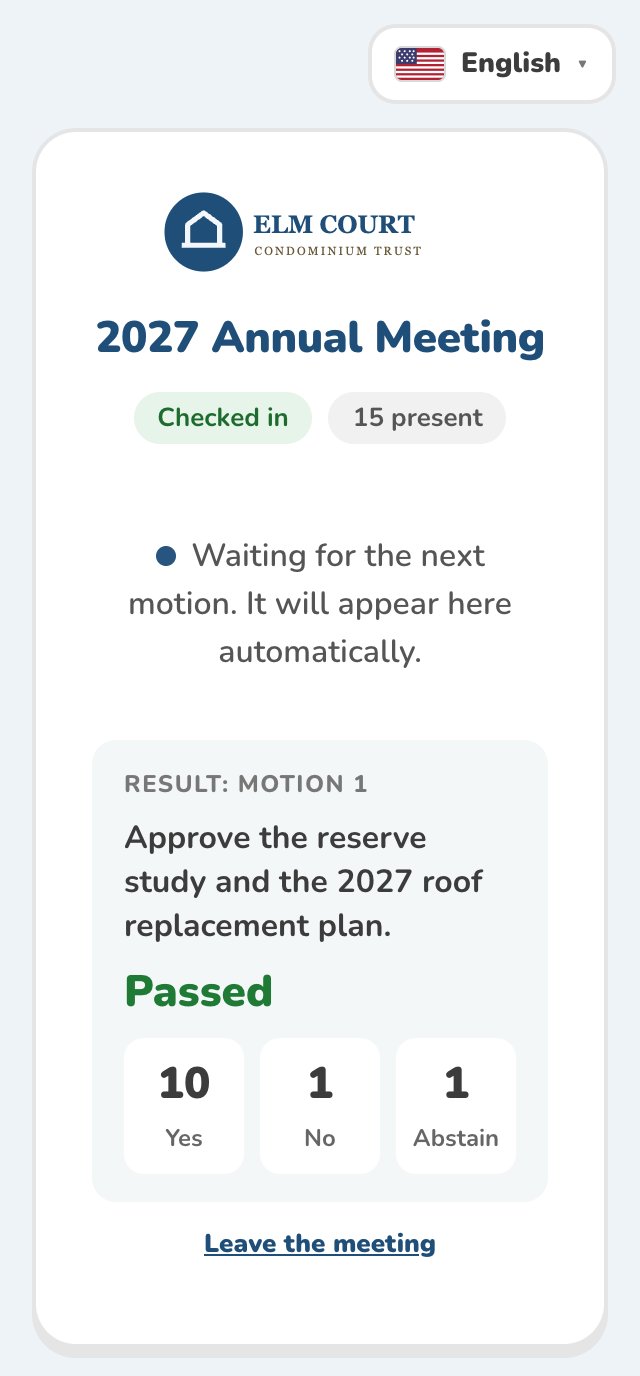
- Keep the page open. When the chair opens a motion, it appears on your screen by itself.
- Tap Yes, No or Abstain, then tap Confirm. Once confirmed, your vote can't be changed.
- When the chair closes the vote, the result appears on your screen.
10Your vote is private
- Your ballot is stored with no name or email attached. Your organization can see whether you voted, never how.
- Your PIN is never stored as typed, and nobody at your organization can look it up.
- Once voting closes, nobody can reset or erase the ballots, not even your organization's admins.
- BallotKeep is run by Castle-Knight LLC, a cybersecurity firm. See how we protect elections.
11If something goes wrong
| What you see | What to do |
|---|---|
| "That email and PIN don't match" | Use the address the email was sent to, and the PIN from the newest email (a reminder replaces your old PIN). |
| "Please wait…" or locked out | After several wrong PINs you have to wait, and after 10 you're locked out. Contact your election contact to unlock you or send a new PIN. |
| "Voting has not opened yet" | Check the dates in your email and come back then. |
| "This election is closed" | Voting has ended. |
| "This voter has already cast a ballot" | Your ballot was already recorded (maybe by a proxy). Contact your election contact if that's a surprise. |
| "Session expired" | Sign in again. Nothing was counted. |
Your election contact's name and email are at the bottom of the sign-in page.